# 取引

<figure><img src="/files/dH5MByGpTphLytcFNMkp" alt=""><figcaption></figcaption></figure>

### 取引概要

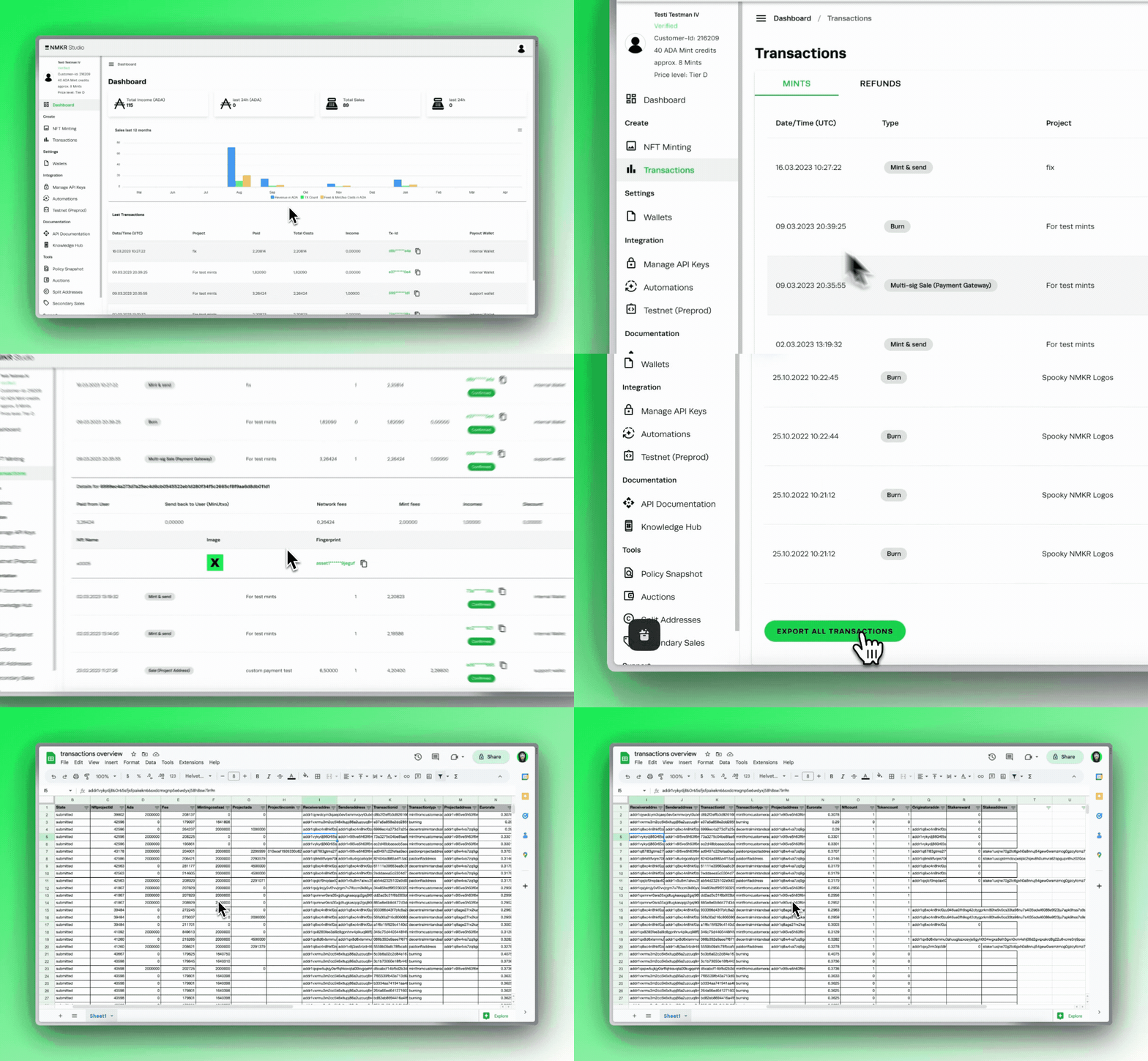
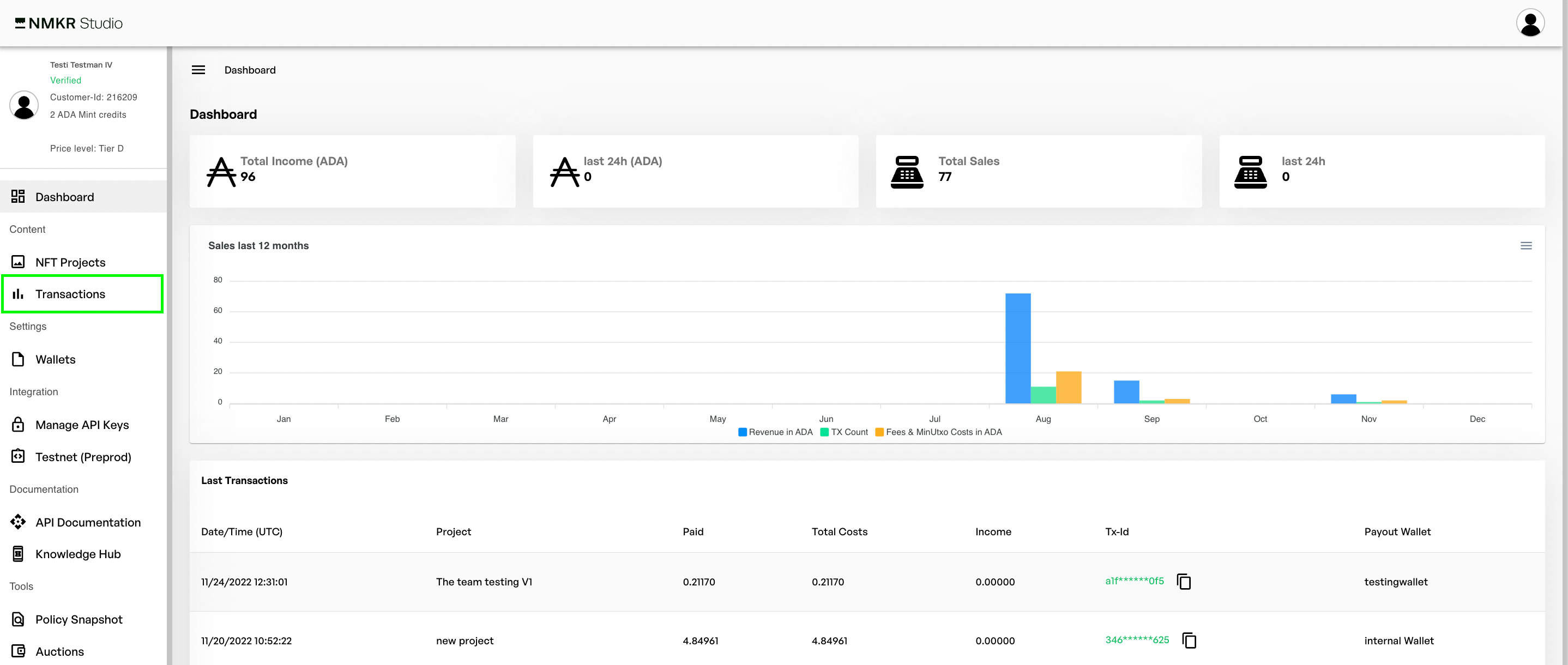
もちろん、会計の観点からは、行われた取引について信頼できる明確な見解を持つことが必要です。そのために、取引概要があるのです。メニューバーから簡単にアクセスできます。<br>

<figure><img src="/files/jSsw1pGPmfZxLbXTGz4w" alt=""><figcaption></figcaption></figure>

取引概要には、すべてのプロジェクト取引、手動ミントやエアドロップ、ロイヤリティトークンのミンティングなど、ユーザーアカウントに関連するすべての取引アクティビティが表示されます。

<figure><img src="/files/10MrFzPKa9K9uWQVEANX" alt=""><figcaption></figcaption></figure>

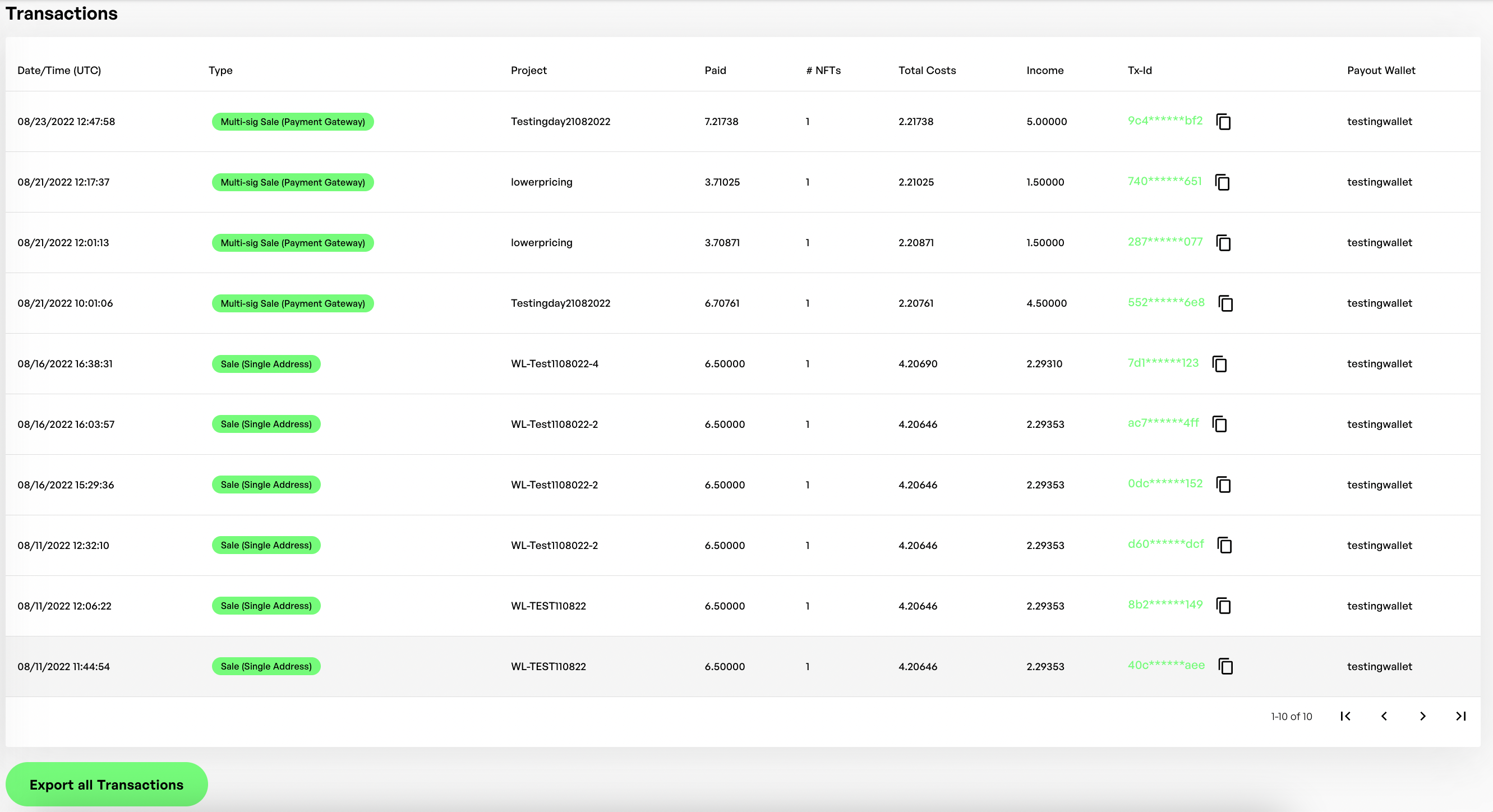
取引概要

お客様の口座のすべての取引が表示され、どのような取引であったか、取引のキーデータと構造を簡単に理解することができます：

* 日時（UTC）
* タイプ
* プロジェクト
* 支払額
* NFTの金額
* 総費用
* 収入
* 取引ID
* 支払いウォレット（受取ウォレット）

#### 特定の取引の詳細を表示

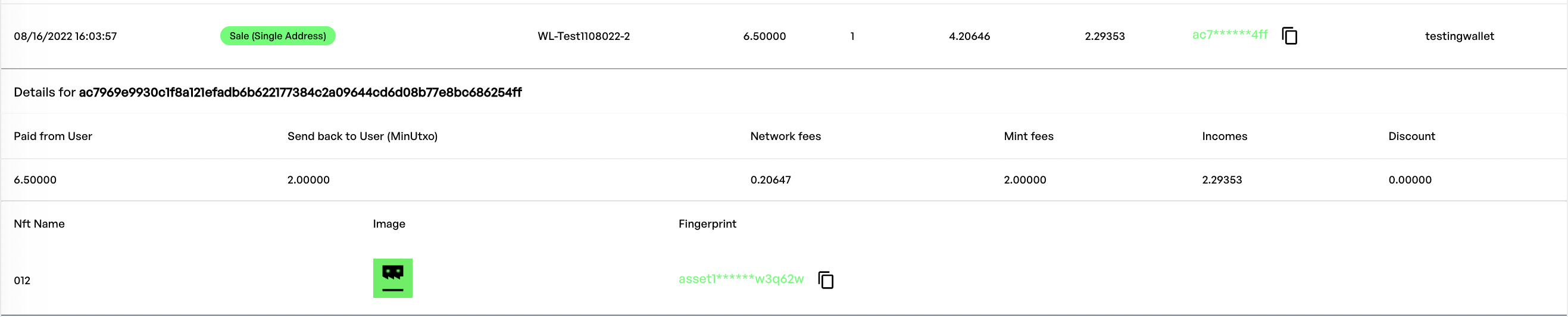
<figure><img src="/files/fIpLcBicoOQXfo8vLFEf" alt=""><figcaption><p>行をクリックして取引の詳細を表示</p></figcaption></figure>

特定の取引の詳細を表示するには、取引行をクリックします。

追加データが表示されます：

* ユーザーからの支払い
* MinUtxo（センドバック）
* ネットワーク料金
* ミント料金
* 収入
* 割引
* NFTの名称とイメージ
* トークンのフィンガープリント

### エクスポートする取引の概要

取引概要をエクスポートするには、左下にある「すべての取引をエクスポート」をクリックしてください。これにより、上記のようなすべての関連データを含むCSVファイルがZipファイルに圧縮されて即座にダウンロードされます。

このファイルは、Excel、Numbers、Googleシートなどの表計算ソフトで開くことができます。

<figure><img src="/files/LkgOlRbKGZ7VFXHbbqVz" alt=""><figcaption><p>CSVファイルでの取引概要の例</p></figcaption></figure>


---

# Agent Instructions: Querying This Documentation

If you need additional information that is not directly available in this page, you can query the documentation dynamically by asking a question.

Perform an HTTP GET request on the current page URL with the `ask` query parameter:

```
GET https://docs.nmkr.io/jp/nmkr-studio/akaunto/qu-yin.md?ask=<question>
```

The question should be specific, self-contained, and written in natural language.
The response will contain a direct answer to the question and relevant excerpts and sources from the documentation.

Use this mechanism when the answer is not explicitly present in the current page, you need clarification or additional context, or you want to retrieve related documentation sections.