> For the complete documentation index, see [llms.txt](https://docs.nmkr.io/llms.txt). Markdown versions of documentation pages are available by appending `.md` to page URLs; this page is available as [Markdown](https://docs.nmkr.io/jp/nmkr-studio/fan-mai-she-ding/nmkr-pay/nmkr-paydenomanyuaru.md).
# NMKR Payでのマニュアル送付
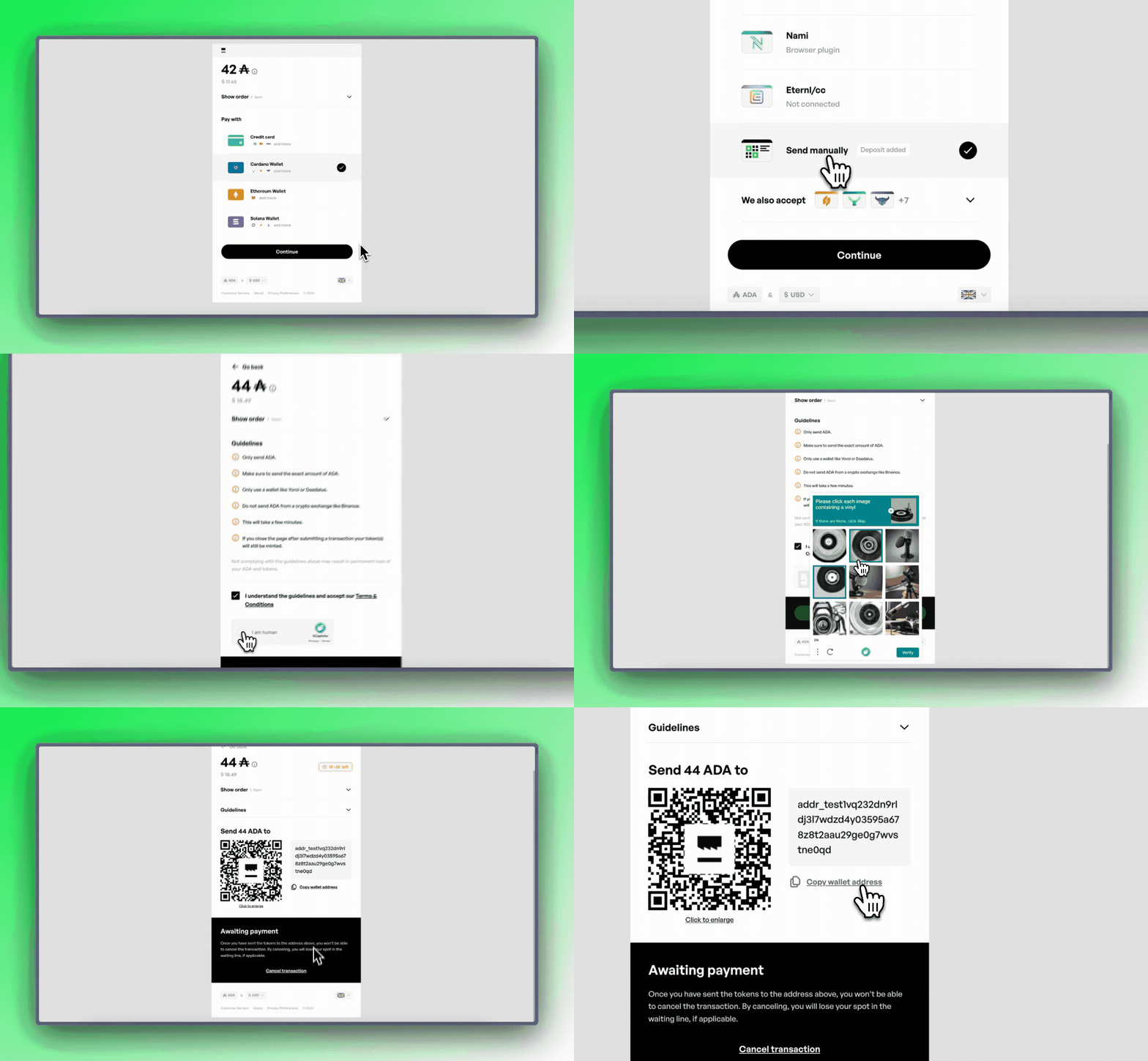
ウォレットをつなぐことなくADAをミントアドレスに送る
NMKR Payは、[フィアット支払いと](https://docs.nmkr.io/nmkr-studio/set-up-sales/nmkr-pay/fiat-payment)ウォレットをつなぐオプションの他に、Pay-In Addressで知られているような従来の「アドレスにADAを送る」ミントも提供します。Pay-In Addressとは違って、マニュアルミントは[NMKR Payインターフェイスのメリットと](https://docs.nmkr.io/nmkr-studio/set-up-sales/nmkr-pay#nmkr-pay-vs.-pay-in-address)ボット保護のキャプチャを利用できます。
この機能はNMKR Payの標準機能です。
{% hint style="info" %}
[マルチシグ決済](https://docs.nmkr.io/nmkr-studio/set-up-sales/nmkr-pay/multisig-payment)が有効なトークン販売に対して顧客がマニュアルで支払うことを選択した場合、顧客は入金を追加するよう求められます。
この入金額は、マルチシグ決済では不要となるセンドバック(MinUtxo)をカバーするためのもので、NFTと一緒に顧客に送り返されます。
{% endhint %}
#### NMKR Payのマニュアル送付をオフにする
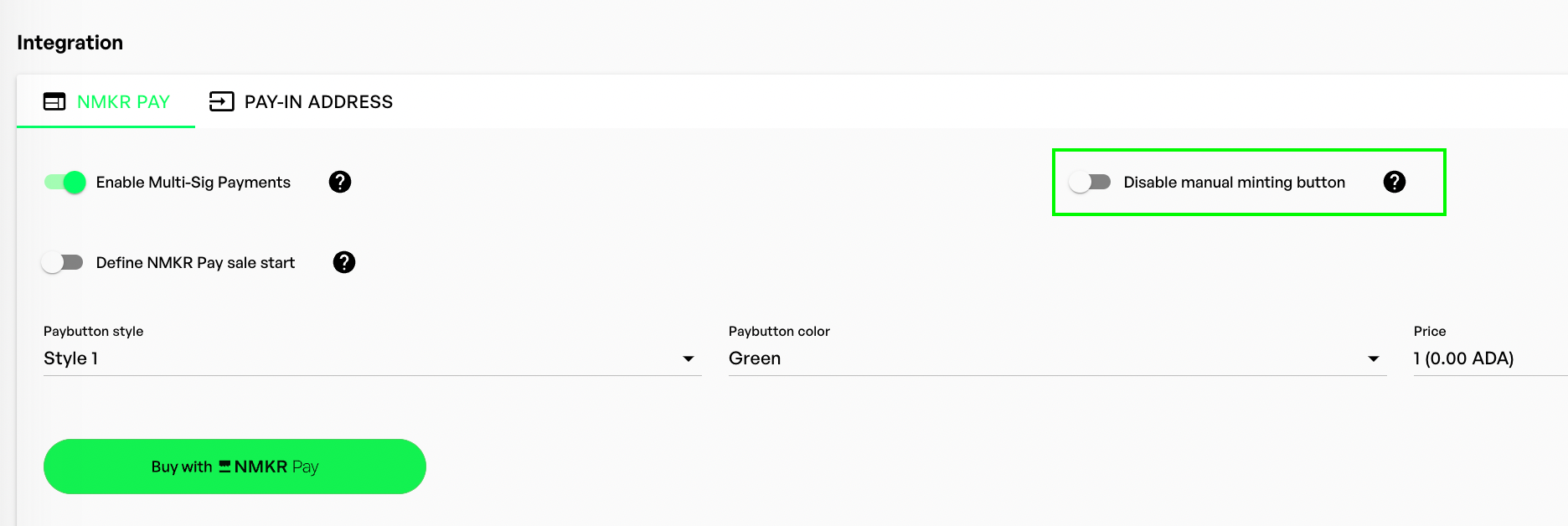
NMKR Payが[マルチシグ決済](https://docs.nmkr.io/nmkr-studio/set-up-sales/nmkr-pay/multisig-payment)でご利用の場合、「マニュアル送付」オプションを無効にすることができます。
このオプションをオフにするには、[NMKR Payの統合](https://docs.nmkr.io/nmkr-studio/set-up-sales/nmkr-pay/set-up-nmkr-pay#nmkr-pay-settings-optional)設定がある[価格リストタブに](https://docs.nmkr.io/nmkr-studio/set-up-sales/manage-prices-pricelist)移動し、「マニュアル送付をオフにするボタン」をクリックしてください。
このオプションをオフにしたいのは何故ですか?
このオプションをオフにすることは、あなたのプロジェクトからボットがミントを行うリスクを減らす良い方法です。
この機能をオフにすると、[Daedalusフルノードウォレットの](https://daedaluswallet.io/)ようなDAppsで動作しないウォレットのユーザーにとって、あなたの売上へのアクセスが減少することに注意してください。