> For the complete documentation index, see [llms.txt](https://docs.nmkr.io/llms.txt). Markdown versions of documentation pages are available by appending `.md` to page URLs; this page is available as [Markdown](https://docs.nmkr.io/jp/nmkr-studio/purojekuto/zuo-cheng/tenpurtosaretapurojekutowosuru.md).
# テンプレート化されたプロジェクトを作成する
当社のプロジェクトテンプレートを使用すれば、車両、音楽、ドメイン名など、さまざまなユースケース向けに事前定義されたテンプレートを活用し、新規プロジェクトを迅速に設定できます。
**1.** テンプレートプロジェクトを作成する
1. ダッシュボードに移動します。
2. ウェルカムバナーの「テンプレートプロジェクトを作成」をクリックします。
3. 利用可能なテンプレートのリストからプロジェクトの種類を選択します。
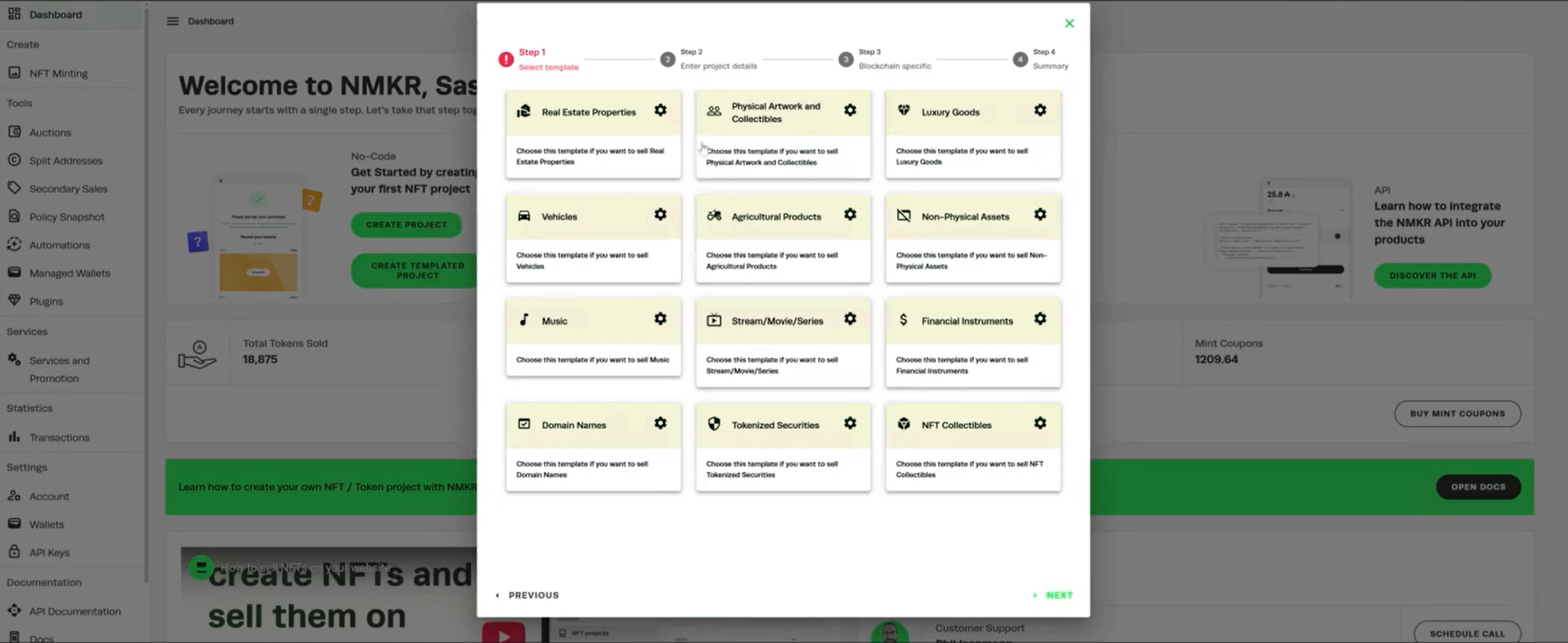 * NFTメタデータの構造をプレビューするには(メタデータテンプレートの表示)、右上の歯車アイコンをクリックしてください。
**2.** ブロックチェーンの選択
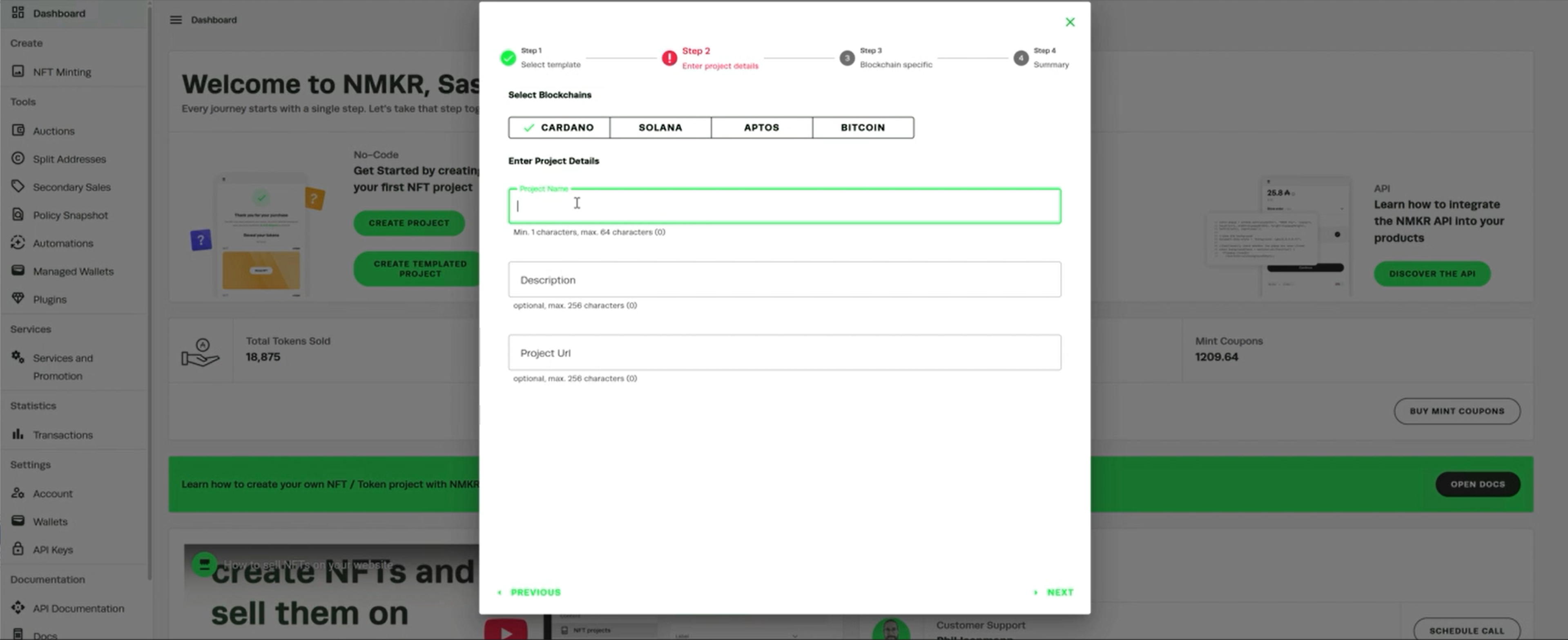
1. ミントに使用するブロックチェーンを選択します(例:カルダノ)。
2. ポリシーロック日や支払いウォレットなど、ブロックチェーン固有の詳細情報を入力します。
3. 概要で設定内容を確認し、「プロジェクトを保存」をクリックします。
* NFTメタデータの構造をプレビューするには(メタデータテンプレートの表示)、右上の歯車アイコンをクリックしてください。
**2.** ブロックチェーンの選択
1. ミントに使用するブロックチェーンを選択します(例:カルダノ)。
2. ポリシーロック日や支払いウォレットなど、ブロックチェーン固有の詳細情報を入力します。
3. 概要で設定内容を確認し、「プロジェクトを保存」をクリックします。
 **3.** トークンの管理とファイルのアップロード
1. ダッシュボード左上の「NFTミント」からプロジェクトを開きます。
2. 「トークン管理」>「新規NFTのアップロードとピン留め」に進みます。
3. トークンを追加し、ファイルをアップロードします。例:
* 表紙(サブファイル1)
* 裏表紙(サブファイル2)
* プレビュー画像
**4.** プレースホルダーデータを埋める
* NFTメタデータで定義されたプレースホルダーフィールドを埋めてください。
* 注:プレースホルダーはメインファイルに対してのみ定義が必要です。サブファイルは任意です。
**5.** レビューメタデータとミント
* 保存後、メタデータとトークンを確認できます(メタデータ → メタデータの表示 / アセットの表示)。
* 定義済みの詳細情報すべてを用いて、NFTを鋳造できます。
**3.** トークンの管理とファイルのアップロード
1. ダッシュボード左上の「NFTミント」からプロジェクトを開きます。
2. 「トークン管理」>「新規NFTのアップロードとピン留め」に進みます。
3. トークンを追加し、ファイルをアップロードします。例:
* 表紙(サブファイル1)
* 裏表紙(サブファイル2)
* プレビュー画像
**4.** プレースホルダーデータを埋める
* NFTメタデータで定義されたプレースホルダーフィールドを埋めてください。
* 注:プレースホルダーはメインファイルに対してのみ定義が必要です。サブファイルは任意です。
**5.** レビューメタデータとミント
* 保存後、メタデータとトークンを確認できます(メタデータ → メタデータの表示 / アセットの表示)。
* 定義済みの詳細情報すべてを用いて、NFTを鋳造できます。