> For the complete documentation index, see [llms.txt](https://docs.nmkr.io/llms.txt). Markdown versions of documentation pages are available by appending `.md` to page URLs; this page is available as [Markdown](https://docs.nmkr.io/jp/nmkr-studio/tkun/appurdo/fairutometadtanoappurdo/doraggudoroppudeappurdo.md).
# ドラッグ&ドロップで一括アップロード
NMKR Studioでは、ユーザー インターフェースから直接ファイルを一括アップロードできます
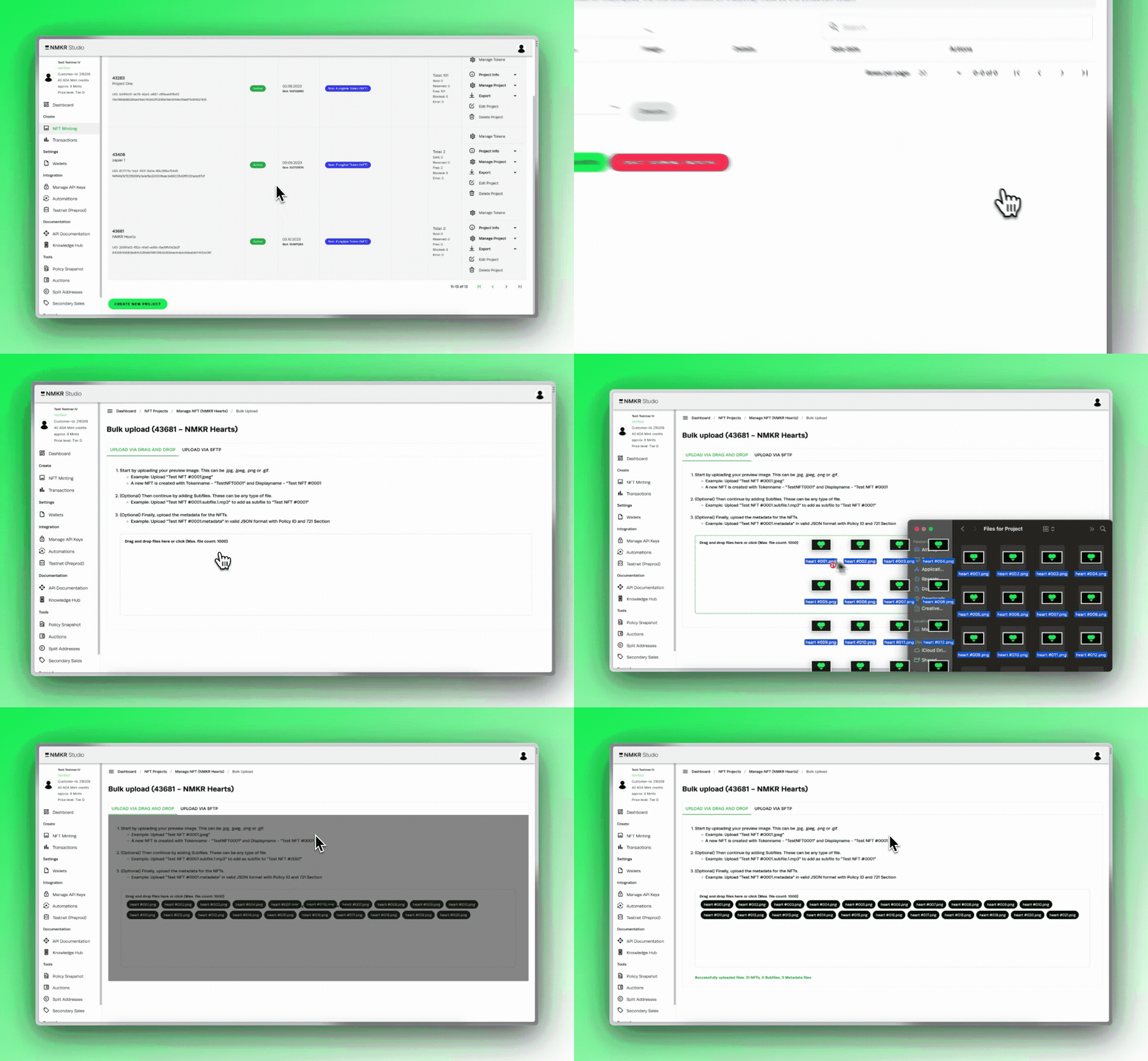
Navigate to the project where you want to upload tokens and click on "Manage Tokens".\
Select "Bulk upload" in the following tab and switch to the Drag and Drop tab, where you now insert the files you want to upload.
{% hint style="info" %}
Please make sure to have a proper naming and that you upload the tokens in the correct order as specified [here](https://docs.nmkr.io/nmkr-studio/token/upload/bulk-upload-files-and-metadata).
{% endhint %}