> For the complete documentation index, see [llms.txt](https://docs.nmkr.io/llms.txt). Markdown versions of documentation pages are available by appending `.md` to page URLs; this page is available as [Markdown](https://docs.nmkr.io/nmkr-studio/how-to-quick-start-tutorials/how-to-add-tokens.md).
# How To Add Tokens
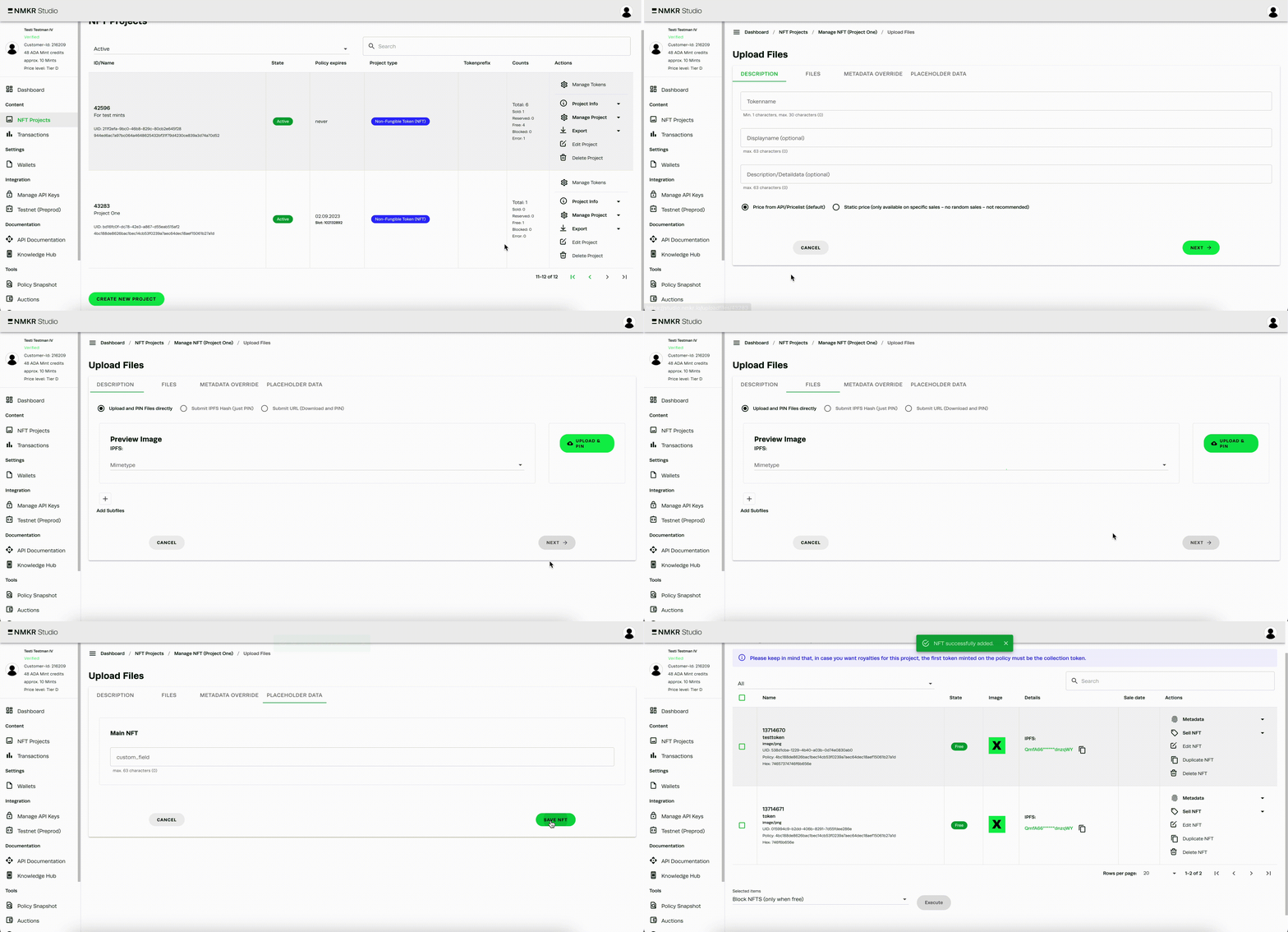
Add Tokens to your project by uploading Files
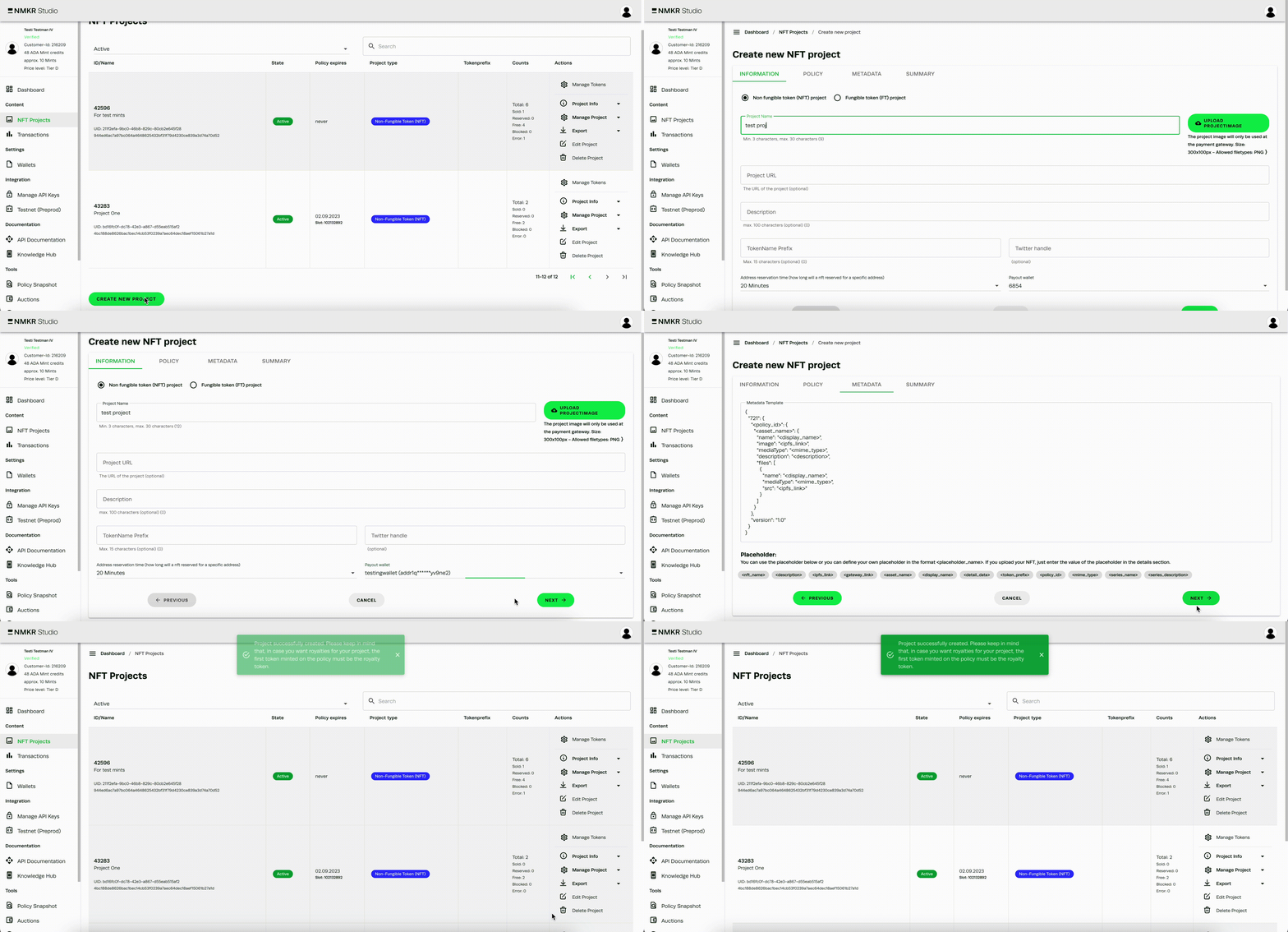
#### 1) Create a project
Navigate to [NFT Projects](https://docs.nmkr.io/nmkr-studio/project) in the Menu and [create a new Project first](https://docs.nmkr.io/nmkr-studio/project/create).
#### 2) Upload Files
With the upload of your [main File](https://docs.nmkr.io/nmkr-studio/token/upload#files), which must be an image or animated gif, **you also create the token in your project**.\
\
The upload is available [via the user Interface for single files](https://docs.nmkr.io/nmkr-studio/token/upload/upload-single-tokens) in the [Manage NFTs Tab of your project](https://docs.nmkr.io/nmkr-studio/token/manage-tokens-tab) and also [in bulk for a large amount of files](https://docs.nmkr.io/nmkr-studio/token/upload/bulk-upload-via-sftp) via SFTP.
#### More details
If you want to learn more about this topic, [please click here](https://docs.nmkr.io/nmkr-studio/token/upload).